Book A Service
MusPC Utilities

Windows Utilities & Downloads

Practical tools for browser monitoring, network sharing and printer management on Windows 10 and 11.

Windows 10 / 11Designed for current Windows PCs
Local controlWorkflows run directly on your Windows PCs
Direct ZIP filesPackage details and checksums included
Practical Windows tools

Choose the utility that solves your task

Each tool focuses on a specific Windows job and keeps the workflow clear. Compare the purpose, requirements and key functions before downloading.

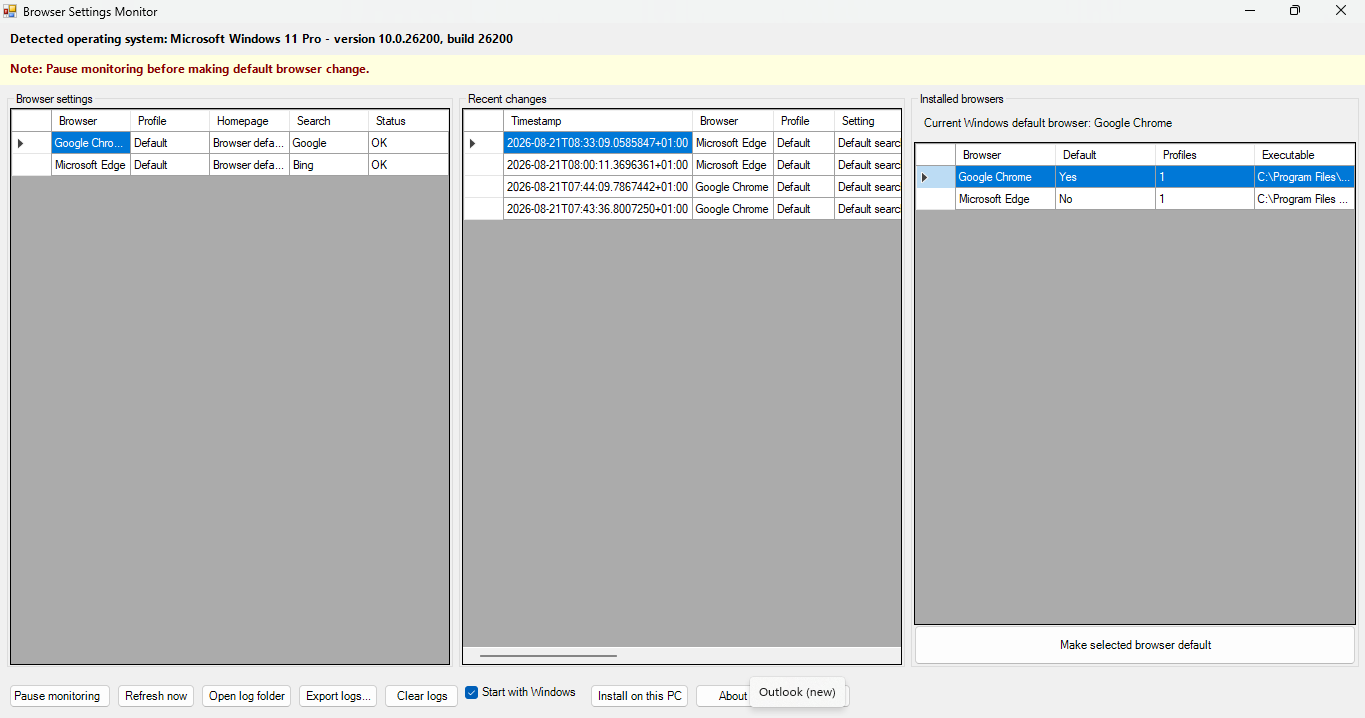
Browser monitoring Browser Settings Monitor dashboard showing browser settings, recent changes and installed browsers
MusPC utility

Browser Settings Monitor

v1.9.0

A lightweight Windows utility that watches browser homepage, search-engine and default-browser settings, then records detected changes locally.

Compatibility
Windows 10 or 11
Download
15.8 KB ZIP
Access
No administrator rights needed for normal use

Why use it?

Use it when you want to spot unexpected changes made by software, an update or another user. It gives you a dated local record without collecting browsing history, passwords, cookies or page content.

  • Monitors Chrome, Edge, Firefox, Brave, Opera, Opera GX, Vivaldi and Chromium profiles.
  • Shows old and new values, timestamps and available process attribution.
  • Keeps local change logs and exports history to CSV.
  • Runs in the notification area and can start with Windows.
File and licence details

Licence: Free for personal use. Contact info@muspc.com for business licensing.

SHA-256: 119450149C8AF95006F9F10EC5451528F87CD0B038150E3C05975EDC8A713260
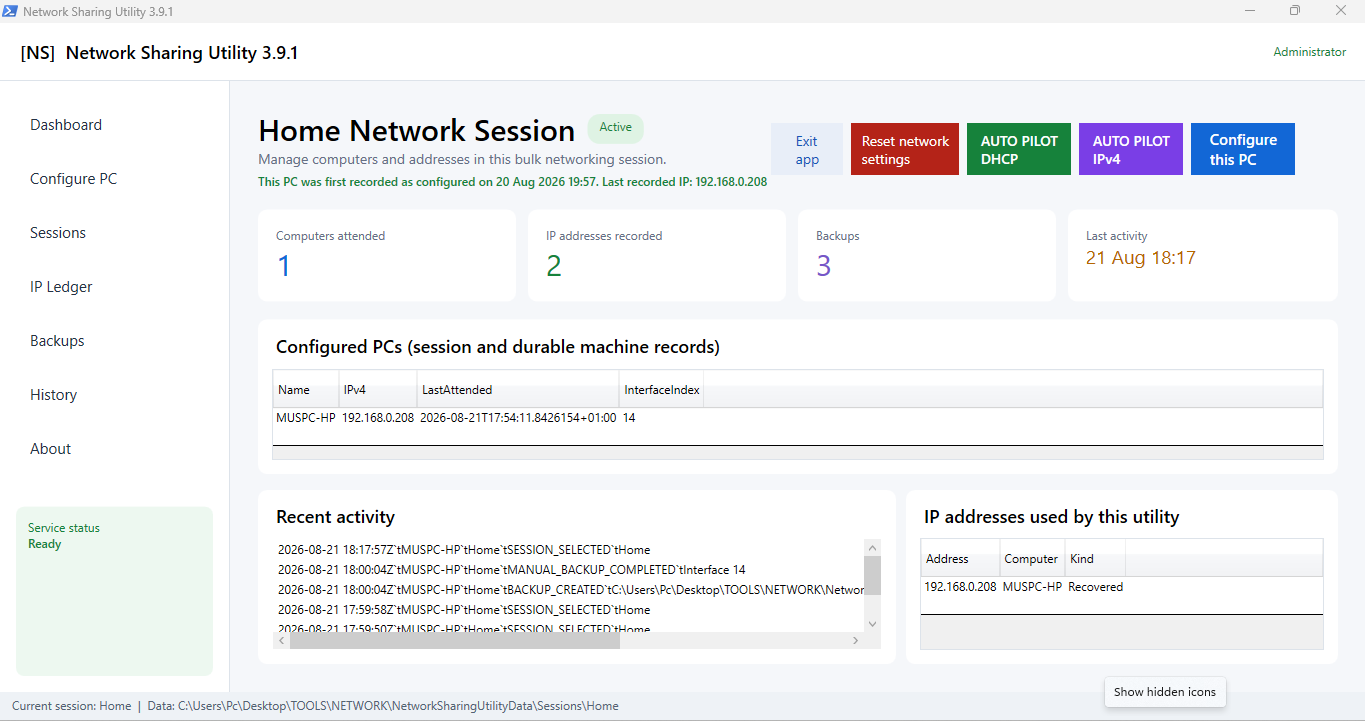
Network setup Network Sharing Utility dashboard showing sessions, configured PCs, backups and IP addresses
MusPC utility

Network Sharing Utility

v3.9.1

A guided Windows tool for preparing trusted home or small-office PCs for network discovery, file sharing and reliable IPv4 configuration.

Compatibility
Windows 10 or 11 Home / Pro
Download
30.5 KB ZIP
Access
Administrator rights required

Why use it?

Use it to make repeatable multi-PC setup easier. It brings discovery, sharing, IP configuration, backups and recovery controls into one clear workflow instead of scattered Windows settings.

  • Enables discovery and file sharing on trusted Private networks.
  • Guides DHCP, static IPv4 and DNS configuration.
  • Creates backups and supports protected restore and network reset.
  • Tracks multi-PC sessions and checks for possible IP conflicts.

This utility changes Windows networking, services, firewall rules and sharing permissions. Review the proposed changes, keep its recovery backup and save open work because some actions may require a restart.

File and licence details

Licence: Free for personal use. Contact info@muspc.com for business licensing.

SHA-256: 9D73F042AB2127F83BD8E72528CDEAC43186EDA4B5532140185A359494008FA0

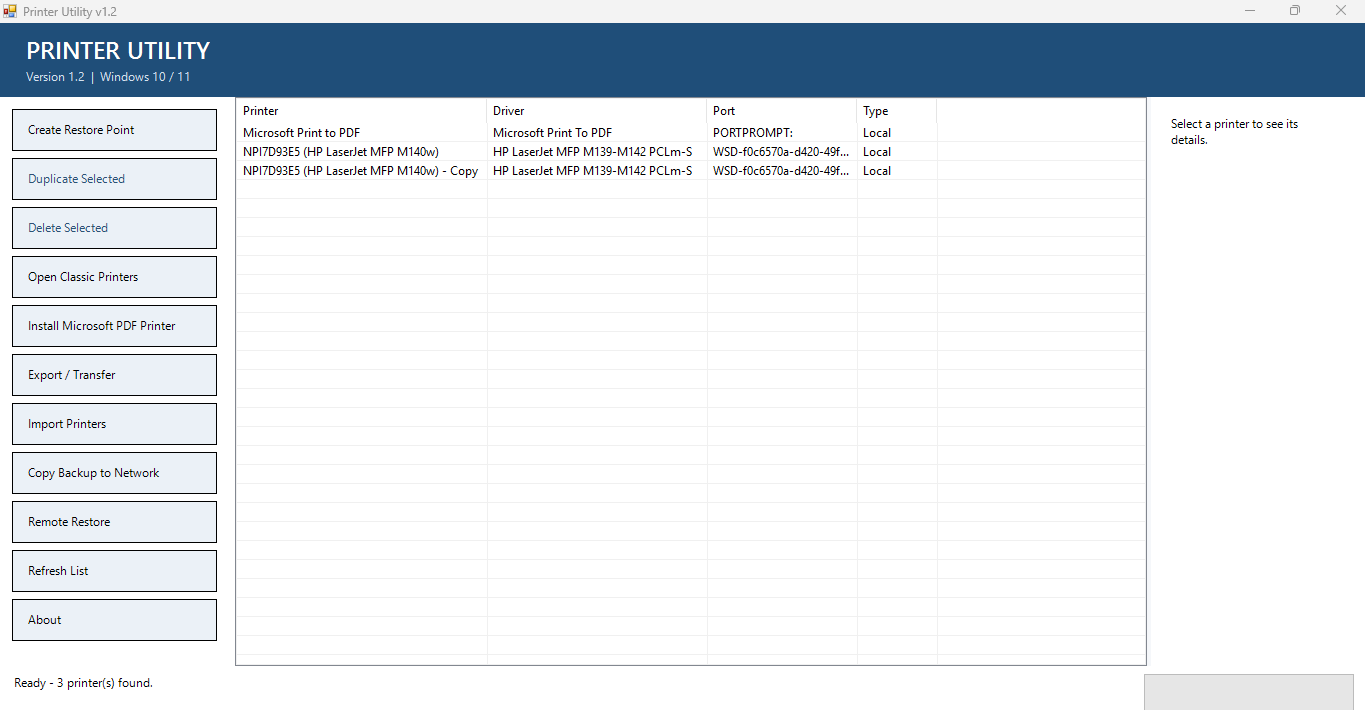
Printer management Printer Utility dashboard showing installed printers and printer management actions
MusPC utility

Printer Utility

v1.2

A Windows desktop tool for managing printer queues, duplicating printers and transferring printer configurations between computers.

Compatibility
Windows 10 or 11
Download
Coming soon
Access
Administrator rights required for system changes

Why use it?

Use it to reduce repetitive printer setup work and to check names, drivers, ports and IP conflicts before importing a saved configuration onto another PC.

  • Duplicates and removes printer queues from one dashboard.
  • Exports, imports and transfers printer configurations.
  • Checks printer names, drivers, ports and conflicts before import.
  • Copies backups to a network share and supports remote restore.
Getting started
File and licence details

Licence: Free for personal and internal business use. Resale, relicensing or paid redistribution requires permission.

Before you begin

Download, review and run with confidence

The available packages are script-based Windows utilities. Follow the included instructions and only approve system changes you understand.

  1. 01
    Download and extractSave the ZIP, then use Extract All before running any files.
  2. 02
    Read the included guideOpen README.md or START_HERE.txt for the utility's current instructions.
  3. 03
    Use the supplied launcherStart the utility and allow administrator access only where the card says it is required.